
Table of Contents
- How to Compare Commercial Security Systems in 2026
- Professional Monitoring vs. Self-Monitoring for Business Security
- Commercial Access Control Systems: Keypads, Fobs, and Biometric Authentication
- Business Security Camera Installation Cost: What Drives the Price
- Commercial Locksmith Services for Businesses: Beyond Lock Repair
- Scalability, Integration, and Total Cost of Ownership
- Conclusion
- Frequently Asked Questions
Last Updated: September 11, 2026
How to Compare Commercial Security Systems in 2026
Choosing among the best commercial security systems 2026 has to offer starts with one hard truth: the consumer-grade kits sold at warehouse stores were never built for a business with employees, inventory, and liability. This buyer’s guide from Hallford Brothers Security Lock & Safe, LLC walks through the evaluation criteria that actually matter, from monitoring models to access control, so you can spec a system that holds up under real commercial use.
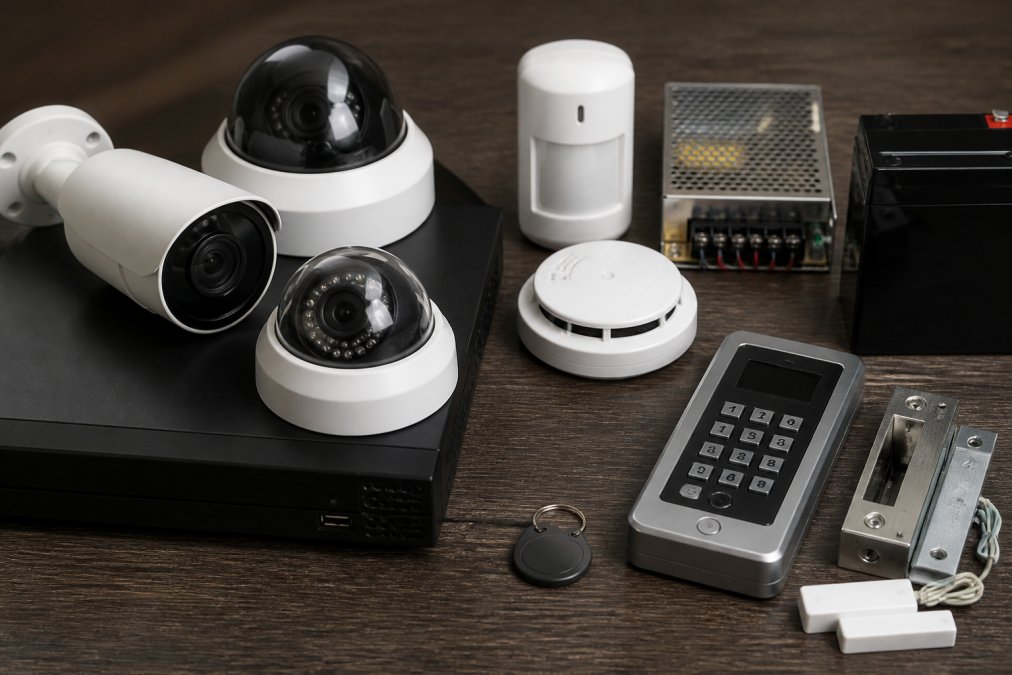
A commercial security system is an integrated set of hardware and software, including cameras, access control, intrusion detection, and monitoring, designed to protect a business property and the people and assets inside it. Unlike a residential setup, a commercial-grade system must handle multiple entry points, user permissions, audit logs, and often compliance requirements.
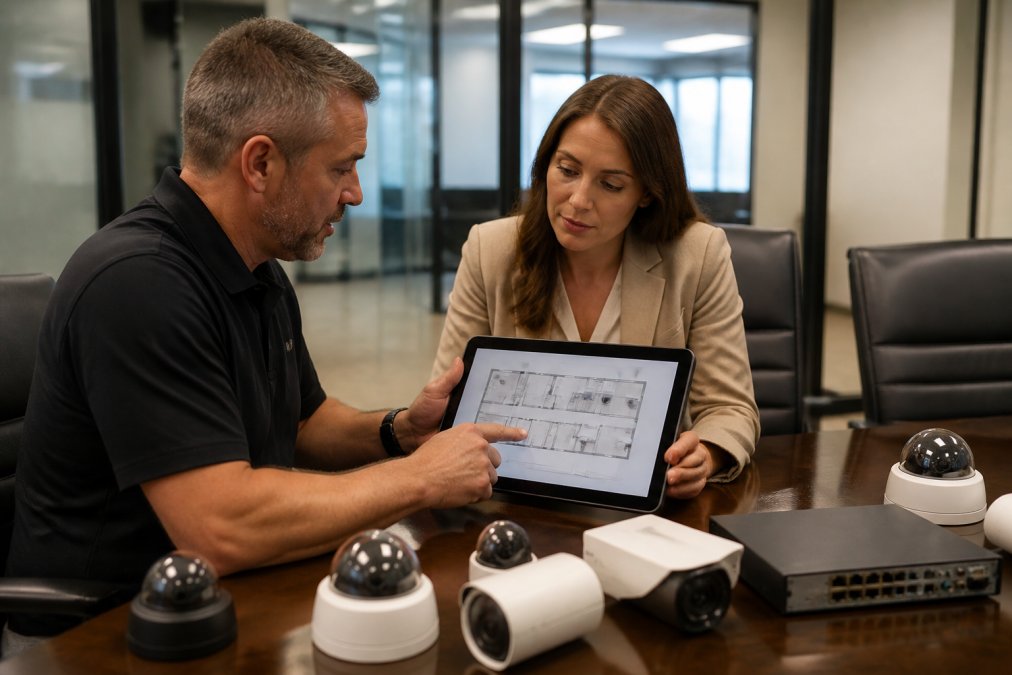
The evaluation criteria that separate serious systems from toys:
- Scalability: can the platform add doors, cameras, and sites without a rip-and-replace?
- Integration: does it talk to existing access control, fire and life safety, and legacy hardware?
- Monitoring model: professional monitoring versus self-monitoring, and what each costs you in response time
- Total cost of ownership: upfront hardware versus recurring subscription tiers
- Compliance fit: does it satisfy the requirements specific to your industry?
Most buyers fixate on camera resolution and miss the two factors that drive long-term cost: integration with what you already own and the recurring subscription structure. Get those wrong and a “cheap” system becomes expensive fast.
Professional Monitoring vs. Self-Monitoring for Business Security
Professional monitoring means a trained team watches your alarms and video around the clock and can trigger automated dispatch when something trips. Self-monitoring puts that responsibility on you or your staff through a mobile app.
The trade-off is cost versus response. Professional monitoring carries a monthly fee, but it delivers real-time alerts to a monitoring center that can contact police or fire services immediately. Self-monitoring is cheaper upfront, but if no one is watching the app at 2 a.m., a break-in goes unanswered. For most businesses with physical assets on site, professional monitoring is the safer default. Self-monitoring fits low-risk locations or businesses with staff present around the clock.
Ask any provider for their service level agreement in writing before you sign. A strong SLA spells out response times, uptime guarantees, and what happens when the system goes down. If they won’t put it in writing, walk away.
Commercial Access Control Systems: Keypads, Fobs, and Biometric Authentication
Commercial access control systems determine who gets in, where, and when. The three common authentication methods each fit different needs:
- Keypads: lowest cost, easy to retrofit, but codes get shared and rarely changed
- Fobs and cards: fast, durable, and easy to revoke when an employee leaves
- Biometric authentication: fingerprints or facial recognition, hardest to spoof, best for high-security areas
The real value of a modern access control system is the audit log. Every entry is timestamped and tied to a user, which matters enormously if you ever need to investigate an incident or prove compliance. Look for systems with granular user permissions and remote arming so you can lock down a door from your phone.
Business Security Camera Installation Cost: What Drives the Price
Business security camera installation cost depends on camera count, resolution, wiring runs, storage model, and whether the property needs access control tied into the same platform. There is no single number, because a two-camera retail front and a 40-camera warehouse with gate control are different projects entirely. What follows is the cost architecture most integrators use to quote commercial work, plus the recurring costs buyers routinely forget to model.
The five cost drivers that actually move a quote
| Cost Driver | What It Affects | Lower-Cost Option | Higher-Cost Option |
|---|---|---|---|
| Camera count | Total hardware and labor | 2-4 cameras | 20+ cameras across multiple structures |
| Cabling | Labor and materials | Wireless bridge where signal allows | Hardwired Cat6 or fiber runs, conduit, trenching |
| Storage | Recurring cost | On-premises NVR with local drives | Cloud or hybrid subscription per camera |
| Resolution and analytics | Image detail and searchability | 1080p fixed | 4K with person/vehicle detection and license plate capture |
| Integration | Platform and licensing | Standalone camera system | Unified access control, intrusion, and video on one dashboard |
Two structural choices dominate the total: wired versus wireless, and local versus cloud storage. Hardwired runs cost more in labor and materials but deliver more reliable uptime and are generally required where conduit and code compliance matter. Cloud storage adds a per-camera recurring fee but gives you redundancy and remote access without maintaining a recorder on site.
Build a three-year total cost of ownership model, not a sticker-price comparison
Most buyers compare upfront hardware quotes and stop there. The number that matters is total cost of ownership (TCO) across the life of the system. A practical model has five lines:
- Hardware, cameras, recorders, readers, panels, locks, and mounting hardware.
- Installation, labor, cabling, conduit, and any electrical work.
- Recurring subscriptions, monitoring, cloud storage, cellular backup, and software licensing, multiplied by 36 months.
- Maintenance, cleaning, firmware updates, drive replacement, and service calls.
- Expansion, doors, cameras, or sites you expect to add within the window.
A system with a low hardware price and a high per-camera cloud tier often costs more over three years than a commercial-grade platform with a higher upfront cost and predictable fees. Run the math both ways before you sign.
The costs competitors leave out
- False alarm dispatch fees. Many jurisdictions charge a fee after a set number of false alarms in a rolling period, and some suspend police response to chronic offenders. Video verification, where a monitoring center confirms a human or vehicle before dispatch, is the single most effective way to cut nuisance alarms and the fees that follow. Ask any provider whether their monitoring center offers video verification and how it is priced.
- Compliance-driven hardware. If your industry falls under a regulatory framework, healthcare privacy rules, payment card standards, or insurance-mandated security requirements, your camera placement, retention period, and access logging may be prescribed rather than optional (hhs.gov). Compliance requirements can add cameras, storage capacity, and audit-logging features that a generic quote will miss.
- Legacy hardware bridging. If you already own functional analog cameras or older readers, an integrator can often bring them onto a new platform through encoders or gateway devices rather than forcing a full replacement. This is frequently the largest single line-item saving available to an existing business.
For pricing tailored to your property, request a written quote that itemizes hardware, installation, and recurring fees separately, so you can compare TCO rather than sticker price.
Ask for the quote broken into one-time and recurring lines. A provider who will not separate them is hiding the subscription structure, which is where the long-term cost lives.
Commercial Locksmith Services for Businesses: Beyond Lock Repair
Commercial locksmith services for businesses cover far more than fixing a jammed lock. A full-service provider handles master key systems, rekeying after tenant turnover, safe servicing, and the physical hardware that anchors your access control.
A master key system is a hierarchical keying setup where one master key opens every lock in a building while individual keys open only specific doors (aloa.org). For property managers overseeing multiple units, this is the difference between carrying a ring of 30 keys and carrying one.
What most businesses miss: your electronic access control still depends on mechanical locks and cylinders that wear out. A card reader on a failing door closer is a security gap. Pair your digital system with regular hardware servicing, and rekey every lock when a tenant or employee with access leaves. Hallford Brothers Security Lock & Safe, LLC has handled master key systems and commercial hardware for businesses across the NW Metro Atlanta area for decades, with upfront pricing before any work begins.
The biggest mistake businesses make is rekeying only the front door when a key-holding employee leaves. Every lock that person’s key could open is now a liability. Rekey the full set, not just the main entrance.
Scalability, Integration, and Total Cost of Ownership
Scalability and integration decide whether your system survives your next growth spurt. A platform that cannot add doors, cameras, or a second location without a full replacement will cost you far more in three years than one that scales cleanly. The way to tell the difference before you buy is to ask three questions: How does the platform add a door or camera, license, hardware, or both? Does it support multiple sites on one dashboard? And can it ingest hardware you already own?
What scalable actually means in practice
Scalability is not a marketing word; it is a set of concrete capabilities:
- Additive licensing. Adding a camera or door should mean buying a license or a device, not replacing the head-end. Ask whether user seats, sites, and devices are licensed separately or bundled.
- Multi-site architecture. For businesses with more than one location, confirm the platform supports a centralized dashboard, consistent user permissions across sites, and unified audit logs. A system that requires a separate login per site does not scale.
- Open standards. Look for platforms that support common integration standards so cameras, readers, and panels from different manufacturers can coexist. Proprietary-only ecosystems lock you into one vendor’s pricing.
- API and integration surface. If you plan to tie security into scheduling, HR, or building management systems, confirm the platform exposes an API or documented integrations.
Bridging legacy hardware instead of ripping it out
Many businesses already own functional analog cameras, older card readers, or a working intrusion panel. A good integrator can often bring that hardware onto a modern platform rather than forcing a full replacement. Common mechanisms include video encoders that convert analog camera feeds to a networked platform, gateway devices that translate older reader protocols, and middleware that unifies disparate systems under one interface. This is frequently the largest single saving available to an existing business, and it is the step most generic buying guides skip entirely.
Total cost of ownership over a five-year horizon
Build the model before you buy. Add up hardware, installation, monthly monitoring, cloud storage, software licensing, and maintenance over a five-year horizon, then add expected expansion. A system with a low sticker price and high subscription tiers often costs more than a commercial-grade platform with a higher upfront cost and predictable fees. The line items that separate a cheap system from an economical one are almost always recurring: per-camera cloud storage, per-door licensing, and monitoring tiers.
Two angles most buyers overlook
- Compliance fit. If your industry is subject to regulatory or insurance-mandated security requirements, your platform must produce the audit logs, retention periods, and access records those frameworks require. A system that cannot export an audit trail is a compliance liability, not just a security one. Confirm retention and export capabilities in writing before purchase.
- False alarm mitigation. Repeated false alarms erode police response and can trigger fines in many jurisdictions (cisa.gov). Video verification and properly tuned motion sensors cut nuisance alerts dramatically. Ask your provider how their monitoring center handles verification and whether it is included or an add-on.
For multi-site management, confirm the platform supports centralized dashboards, consistent user permissions, and unified audit logs across every location, and test the dashboard with a second site before you commit to a rollout.
Scalability, integration, and TCO are the same conversation. A platform that scales cleanly, ingests your existing hardware, and produces compliance-ready audit logs will almost always win on five-year cost, even when its upfront quote is higher.
Conclusion
The hardest part of buying a commercial security system isn’t picking cameras. It’s matching the system to how your business actually operates, then keeping the mechanical and digital sides maintained together. Hallford Brothers Security Lock & Safe, LLC brings 56 years of experience, a storefront you can walk into for straight answers, and upfront pricing on everything from master key systems to camera installation and safe servicing. Get a quote from Hallford Brothers Security Lock & Safe, LLC and build a security setup that scales with your business.
Frequently Asked Questions
What features should I look for in commercial security systems in 2026?
Prioritize professional monitoring, cloud-based surveillance, and access control systems that support biometric authentication or mobile management. Look for real-time alerts, end-to-end encryption, and audit logs for user permissions. Scalability matters if you plan to add locations. Check whether the system supports integration with existing smart building infrastructure or legacy hardware. A service level agreement with defined system uptime guarantees is also worth requiring before you sign.
How much do professional commercial security system installations cost?
Business security camera installation cost depends on camera count, resolution, wiring requirements, and whether you need access control integration. Hardwired systems typically cost more upfront than wireless but offer more reliability. Monthly subscription tiers for cloud storage and professional monitoring add recurring costs. Hallford Brothers Security Lock & Safe, LLC provides upfront pricing and can assess your site to give an accurate quote based on your specific layout and needs.
What is the difference between DIY and professional commercial security monitoring?
DIY systems rely on self-monitoring through a mobile app, which means you handle real-time alerts and automated dispatch yourself. Professional monitoring routes alerts to a staffed center that can verify the threat and contact law enforcement, reducing false alarm risk. For businesses with multiple sites or compliance requirements, professional monitoring with a defined service level agreement is usually the better fit. Self-monitoring can work for low-risk locations where someone is always on site.
How do I integrate access control with commercial alarm systems?
Integration starts with choosing access control systems that communicate with your alarm panel, often through a shared software platform or API. Motion sensors, door contacts, and intrusion detection can trigger camera recording or lock down specific areas automatically. For multi-site management, cloud-based platforms let you set user permissions and review audit logs from one dashboard. A commercial locksmith can assess whether your existing hardware supports integration or needs replacement.